
Live gesture trails
Follow your gesture as you draw, and adjust the trail color, width, and corners to suit your display.
Draw a gesture. Run your shortcut.
Hold the right mouse button and draw. Press keys, run macOS Shortcuts, open links, or arrange windows. Give each app its own gestures.
macOS 26 or later · Public build in preparation
Paid checkout is paused. Public download links will appear here when the build is ready.
Features
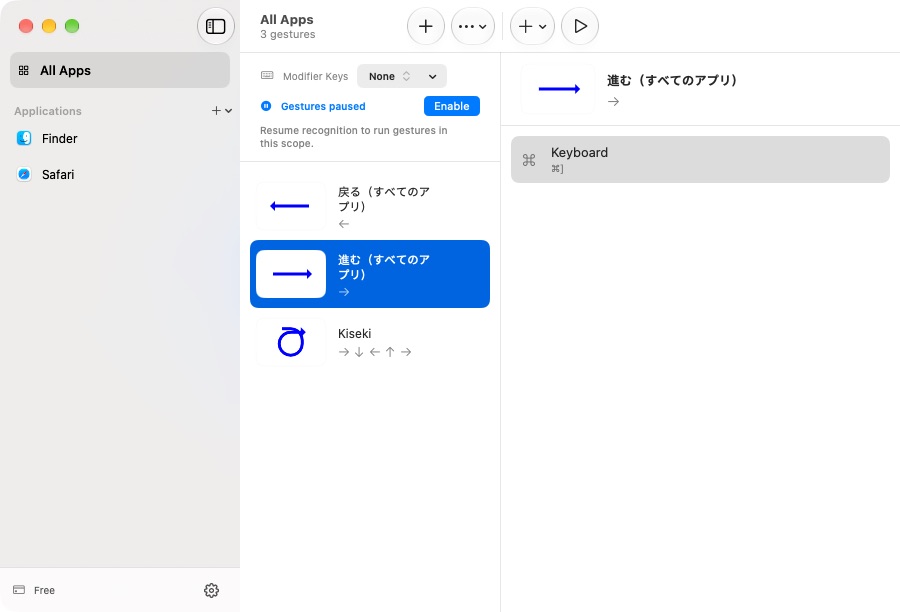
Use familiar macOS controls to create gestures, set application rules, and check the permissions each feature needs.
Follow your gesture as you draw, and adjust the trail color, width, and corners to suit your display.
Create different gestures per app while keeping global defaults for everything else.
Run macOS Shortcuts, press keyboard combinations, arrange windows, open links, or launch apps from a gesture.
Product tour
Choose an app and assign an action. Hold the right mouse button, draw your gesture, then release to run it.
Edit gestures and their actions, or share them as preset files.
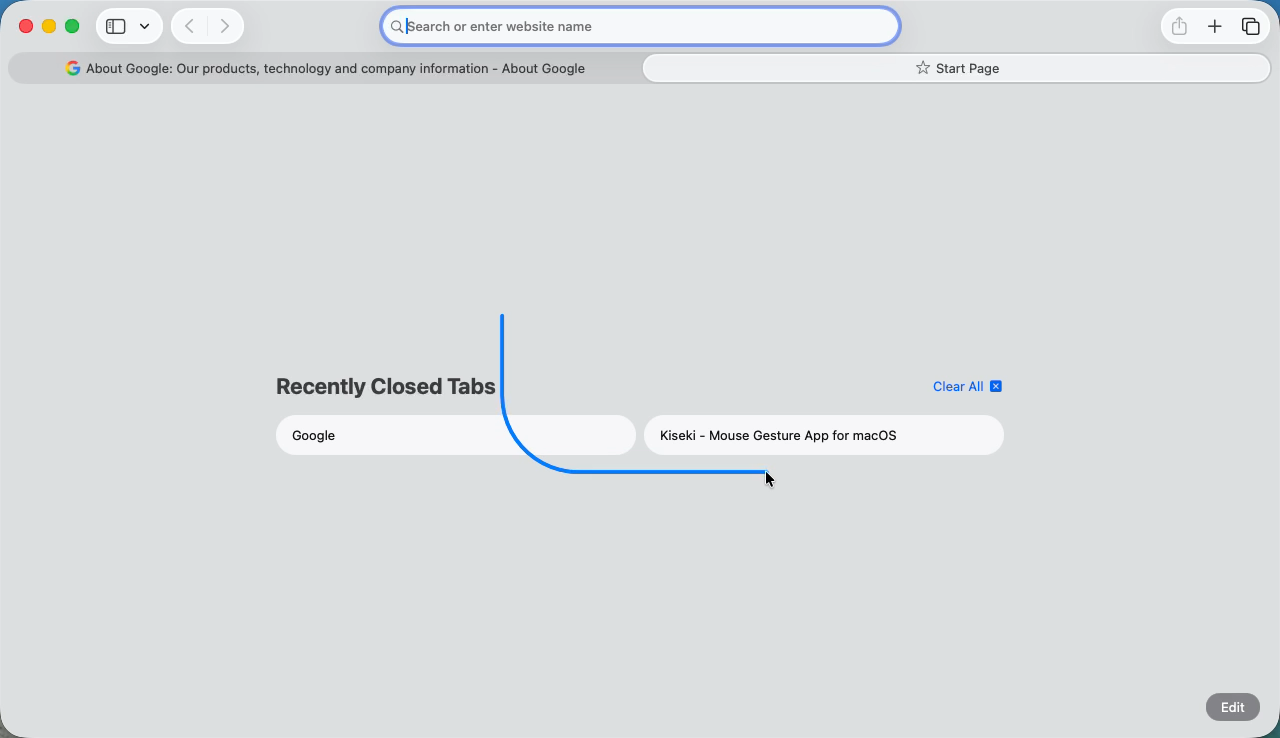
A gesture trail drawn over Safari
Pricing
Downloads are not open yet. We are preparing the signed public build.
Not available yet
macOS 26 or later · Accessibility permission required
The Free plan supports global gestures and two app profiles. Paid licenses remove the app-profile limit.
View release statusPaid checkout is paused. Public download links will appear here when the build is ready.
Release status
macOS 26 or later · Accessibility permission required
Downloads are not open yet. We are preparing the signed public build.
FAQ
Gesture actions and global rules are available on Free. You can register up to two apps for app-specific settings, including the initial Finder and Safari profiles. Global rules also work in unregistered apps. A current yearly or lifetime license removes the app-profile limit and can be activated on up to five Macs.
Open Billing to check purchase availability. When checkout is open, choose a plan and activate Kiseki with the license key from your receipt.
Open a GitHub Issue via the footer link. For account or billing topics, use the Email link in the footer.
Gesture settings stay on your Mac. Use the application or gesture menus to export and import presets.
See the billing page for current activation limits. Deactivate an old machine from Settings > License to free a seat before activating on another Mac.
Use the Manage Subscription link in your purchase receipt to cancel renewal. If you cannot find it, contact support with your order number.
Gesture recognition runs locally. Configured release builds may send scrubbed crash reports. Gesture content, shortcuts, clipboard contents, and license keys are not crash-reporting inputs. See the Privacy Policy for details.
Deactivate the old install from Settings > License to free a seat, then use your license key to activate on the new Mac. This applies to yearly and lifetime licenses.
Email [email protected]. We aim to reply within two business days in English or Japanese.
Yes. If Kiseki is not for you, send your order number to support within 30 days and we will issue a full refund.